Filters are tools used to sort or change things. You see filters everywhere. They help you find or change what you want. But what exactly are filters?
And why do we need them? This article will explain filters in simple words. You will learn about different types of filters. Also, how filters work in daily life.
Credit: www.pgfilters.com
What Does Filter Mean?
The word “filter” means to separate or clean. It takes out what is not needed. For example, a water filter cleans dirty water.
It removes bad stuff like dust and germs. The clean water is good for drinking. So, a filter helps get the good part and leaves out the bad.
Types of Filters
Filters come in many types. Each type has a special job. Here are some common types:
- Physical Filters: These catch solid things from liquids or air. Like water filters or air filters.
- Digital Filters: These change or sort digital data. For example, photo filters or email filters.
- Search Filters: These help find what you want on websites or apps. Like filters to find clothes by size or color.
Physical Filters
Physical filters work with real things you can touch. They clean or separate parts.
Water Filters
Water filters remove dirt and germs from water. They make water safe to drink. You can find water filters in homes, schools, and offices. Some filters use charcoal, sand, or special membranes.
Air Filters
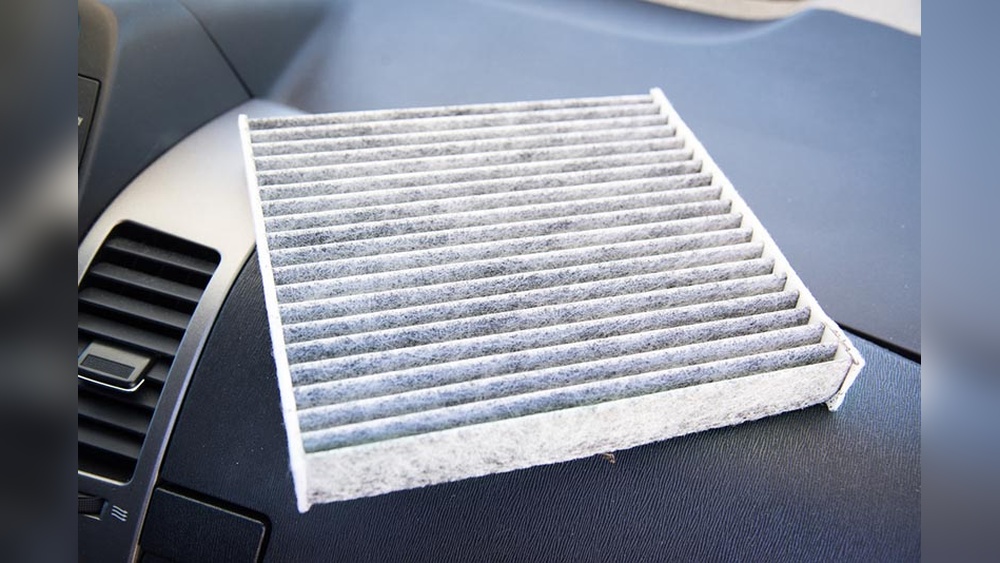
Air filters clean the air around us. They catch dust, pollen, and smoke. Air filters are inside air conditioners and cars. Clean air helps people breathe better.
Oil Filters
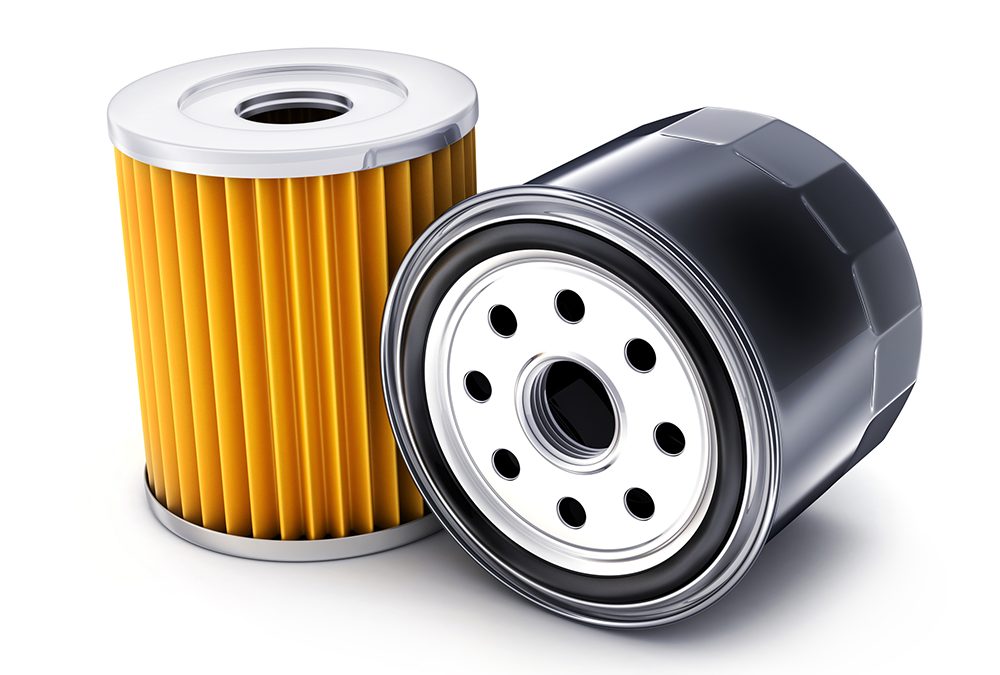
Oil filters clean oil in machines and cars. They catch dirt and metal bits. This keeps the engine working well.
Digital Filters
Digital filters work with data and pictures. They help improve or change things.
Photo Filters
Photo filters change how pictures look. They add colors or effects. People use photo filters on phones and computers. Filters can make photos look bright, dark, or old.
Email Filters
Email filters help sort your emails. They move spam or unwanted messages to a separate folder. This keeps your inbox clean and organized.
Music Filters
Music filters change sound quality. They can make music sound clearer or softer. DJs use filters to change beats and sounds.
Search Filters
Search filters help find things faster. You use them on websites or apps.
Shopping Filters
When you shop online, filters help you. You can choose size, color, price, or brand. This shows only the items you want.
Job Search Filters
Job websites use filters for location, salary, or type of work. This helps find the right job fast.
Social Media Filters
Social media platforms let you filter posts by date or popularity. This helps you see new or popular posts first.
How Do Filters Work?
Filters work by picking or blocking things. They let good parts pass through. They stop bad parts from passing.
Example: Water Filter
A water filter has tiny holes. Water can pass through these holes. Dirt and germs are too big. So, they stay behind. Clean water comes out the other side.
Example: Email Filter
Email filters check words in a message. If the message has bad words or looks like spam, the filter moves it. It keeps your inbox safe.
Example: Search Filter
Search filters look at your choices. If you want red shoes, the filter shows only red shoes. It hides all other shoes.

Credit: my.clevelandclinic.org
Why Are Filters Important?
Filters help us in many ways. They save time and effort. They keep things clean and safe. They help us find what we want quickly.
- Save Time: Filters help find things fast. No need to look through everything.
- Improve Quality: Filters clean water, air, and oil. This keeps us healthy.
- Organize Data: Filters sort emails and files. This keeps our devices neat.
- Make Things Better: Photo and music filters make content more fun or pretty.
Where Do You See Filters Every Day?
Filters are all around you. You might not always notice them. Here are some places you see filters daily:
| Place | Type of Filter | Purpose |
|---|---|---|
| Home | Water Filter | Clean drinking water |
| Car | Air and Oil Filters | Clean air and oil for engine |
| Phone | Photo Filters | Change pictures |
| Email Filters | Block spam | |
| Online Shopping | Search Filters | Find products quickly |
How to Use Filters?
Using filters is easy. You just need to know what you want.
Using Search Filters
When you search online, look for filter options. They are often on the side or top of the page. Choose your preferences. The page will show matching results only.
Using Photo Filters
Open your photo app. Select a picture. Tap on filter options. Choose the filter you like. Save or share your new photo.
Using Email Filters
Go to your email settings. Find the filter or rules section. Create a new filter. Set rules to move or delete emails. Save your filter.
Tips to Remember About Filters
- Filters do not always show everything. They focus on what you want.
- Sometimes filters can hide important things. So, check without filters too.
- Filters help but do not fix problems. For example, a filter cannot clean very dirty water fully.
- Use filters carefully to get the best results.
Frequently Asked Questions
What Are Filters In Digital Photography?
Filters change or improve the look of photos by adjusting colors or light.
How Do Filters Work In Software Applications?
Filters process data to highlight or remove specific parts of images or text.
Why Are Filters Important In Social Media Apps?
Filters enhance photos and videos, making content more attractive and fun to share.
Can Filters Improve Image Quality?
Some filters remove noise and sharpen details to make images clearer.
Conclusion
Filters are simple but useful tools. They help clean, sort, and change things. You find filters in water, air, photos, emails, and searches.
Filters save time and make life easier. Next time you use a filter, you will know how it works. Filters help us every day, even if we do not see them.

Sudatta is a passionate automotive enthusiast and expert in the field. With a keen eye for detail and a love for all things automotive, he shares insightful articles and reviews to ignite the automotive passion in readers.